

Windows 11 Home CD Key (Digital Download)
- Platform: Windows

- Reward Points: 5
- Availability: In Stock
- Works in your country
$15.21

How It Works
1. First, purchase a Windows 11 Home CD Key from our website.
2. Immediately after your payment, you will be automatically sent a digital Activation Key. You can view your unique Windows 11 CD Key on your email.
3. Download the Windows 11 installer from the official Microsoft website, by clicking HERE.
4. Follow the instructions on the Microsoft website to download and install Windows 11.
5. Once installed, enter the unique activation code that you purchased from us.
6. The CD Key will authenticate with Microsoft automatically, and the activation is complete! You now own a genuine copy of Windows 11 Home.
Available Languages: MULTILANGUAGE
invoice will automatically generate upon placing an order
This key can be used again if OS is reinstalled/formatted only if you link it to your Microsoft account (we can send instructions).
The key will work on an inactivated working Win11 Homeor a clean installation of Windows 11 Home.
For instructions on upgrading from Windows 11 Home to Pro, please contact our support team.
Russian, English, German, French, Italian, Spanish, Turkish, Czech, Polish, Japanese, Chinese, Korean and others.
Windows 11 Home OEM
Download link: https://www.microsoft.com/software-download/windows11
In order to install the software on your PC, please follow the instructions here.
In case of an issue with activating your Windows key, please use one of the methods:
Method 1:
Download link: https://www.microsoft.com/software-download/windows11
Download the installation kit media creation tool on a bootable device like dvd or usb stick.
After Windows installation:
- Go to “Settings”
- Find “Activation”
- Select “Activate” or “Change Product Key”
- Insert the purchased key
- Windows 11 Pro is operational
Method 2:
- Click on ”Start” icon , then open ”Settings”, choose ”Update & security”, and then select ”Activation”.
- Choose the ”Activate by phone” option.
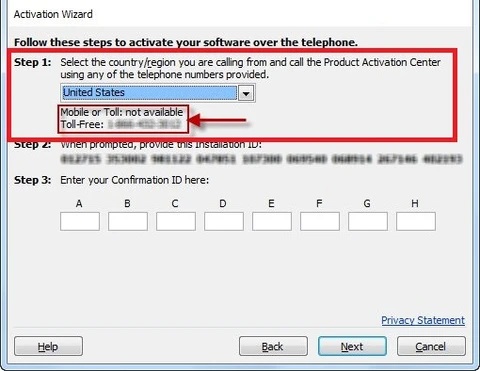
- Click the drop-down menu, select your country, and then click ”Next”.
- Call the Toll free number and follow instructionsto generate confirmation ID to activate your Windows.
Method 3:
- Press and hold “Windows” key and press “R” on your keyboard.
- Type “SLUI 4” in the window that pops up and press enter.
- Click the drop-down menu, select your country and then click Next.
- Call the Toll free number and follow instructions to generate confirmation ID to activate your Windows.
More information regarding phone activation can be found here.
Windows 11 Home brings a whole new set of features and improvements over its predecessor, Windows 10. With its sleek design, redesigned Start menu, and powerful performance enhancements, Windows 11 Home is the ultimate operating system for professionals and power users alike.
One of the standout features is the Snap Layouts, which allows you to effortlessly organize your open windows and multitask like a pro. You’ll also love the Virtual Desktops feature, which lets you create separate workspaces for different tasks, making it easier than ever to stay organized.
We Also Offer Other Windows 11 cd keys HERE
Windows 10 cd keys HERE
Office 2021 cd keys HERE
How to activate your Steam key?
Product Key Activation on Steam
Activating your product key on the Steam platform is an easy and reliable process. The first you need to do is head to the Steam website. This is an official and legitimate method of activating your keys purchased via shadowkeys.
- Once you are on the Steam website, install the Steam client on your computer.
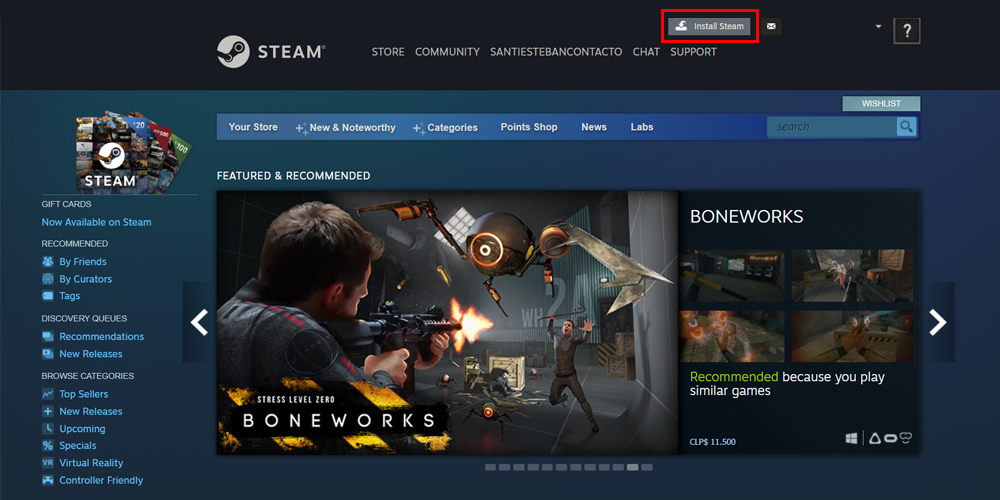
- Install the client, and create or access your Steam account.
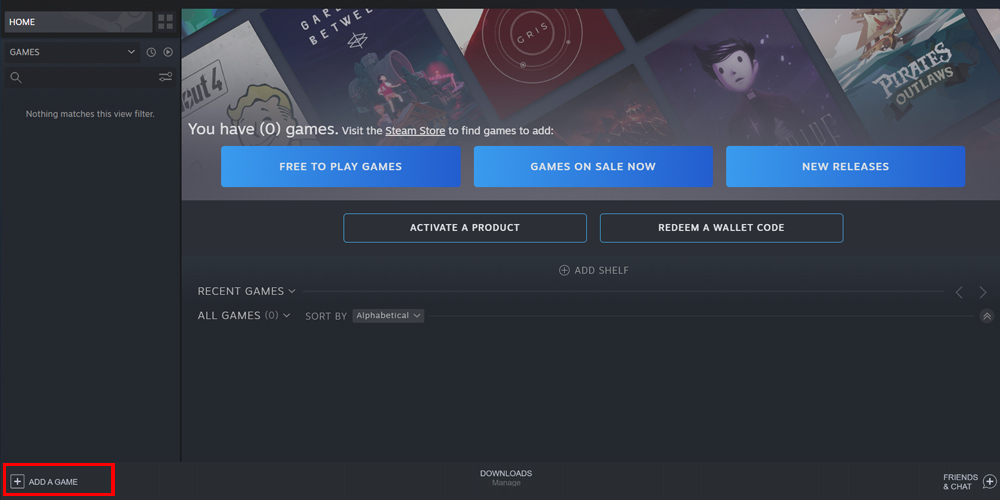
- Once you’re inside, click ‘Add a Game’ located in the bottom left corner.
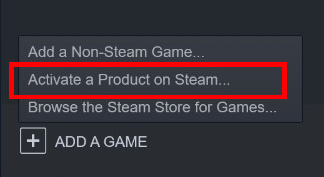
- Next, select ‘Activate a Product on Steam.’
- Then, follow the instructions until you see the window below.
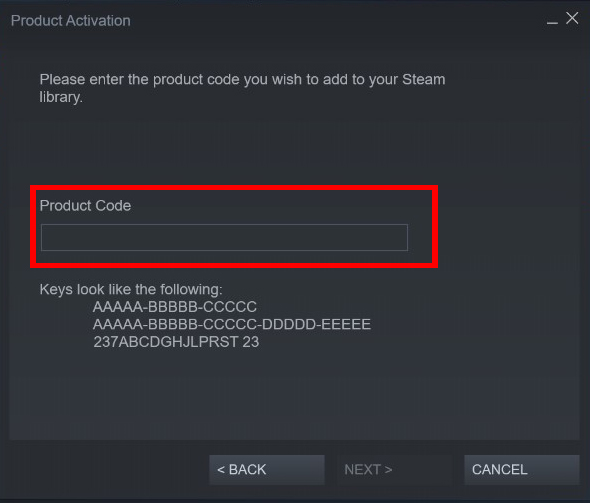
- Now, enter the product code of your game and add it to your Steam library.
How to activate GOG Key?
Product Key Activation On GOG Games
GOG is an official gaming platform where you can download video games. To use your GOG CD keys from Shadowkeys, you need to follow these instructions to redeem the game and install it on your PC.
Activating a Game from the Browser
- Enter the GOG website and log in to your account. If you don’t have an account yet, create one.
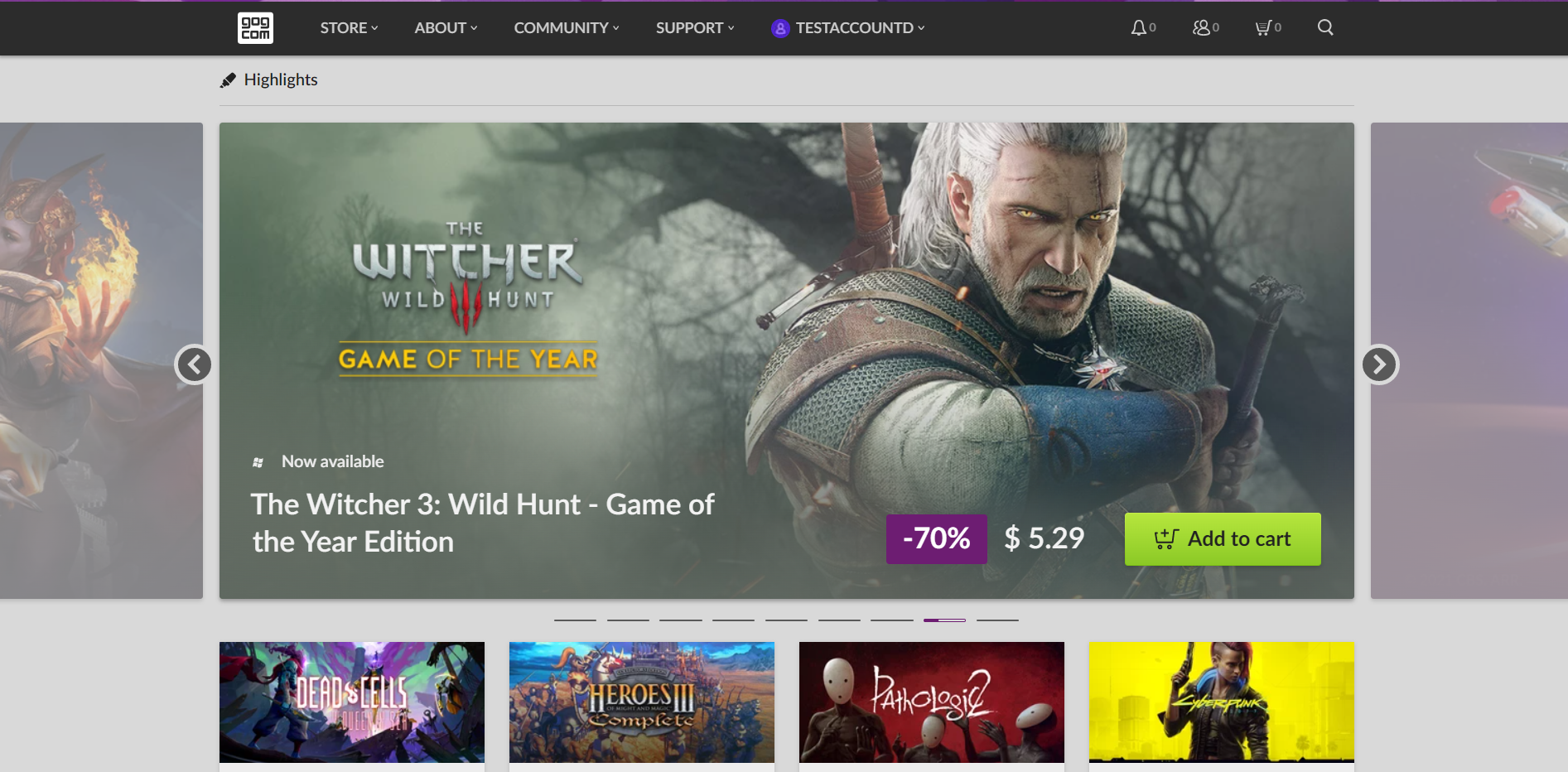
- Go to the upper bar and click on your name to show a menu.
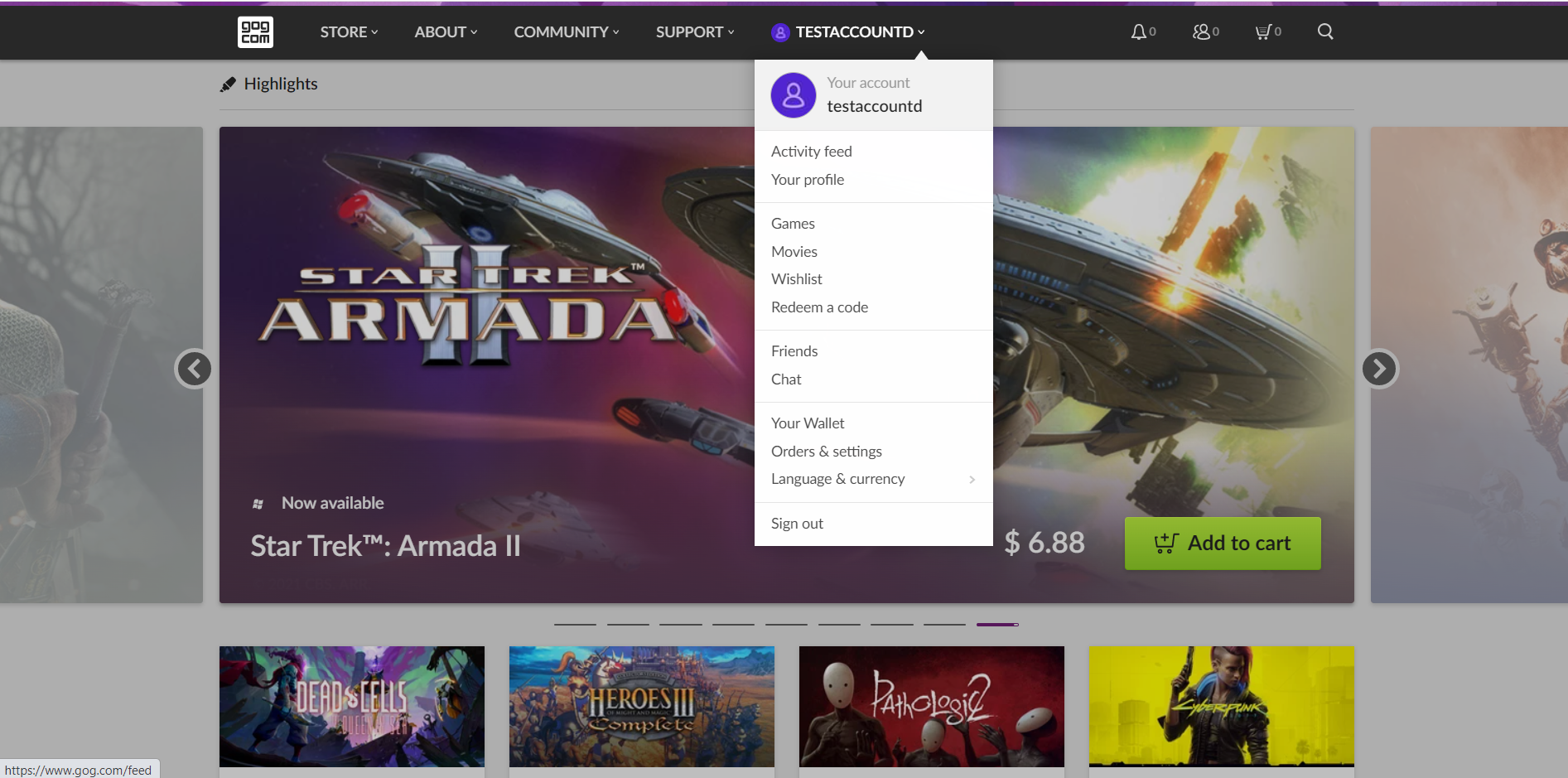
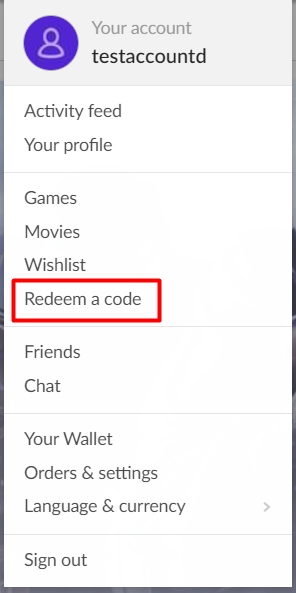
- Select “Redeem a code.”
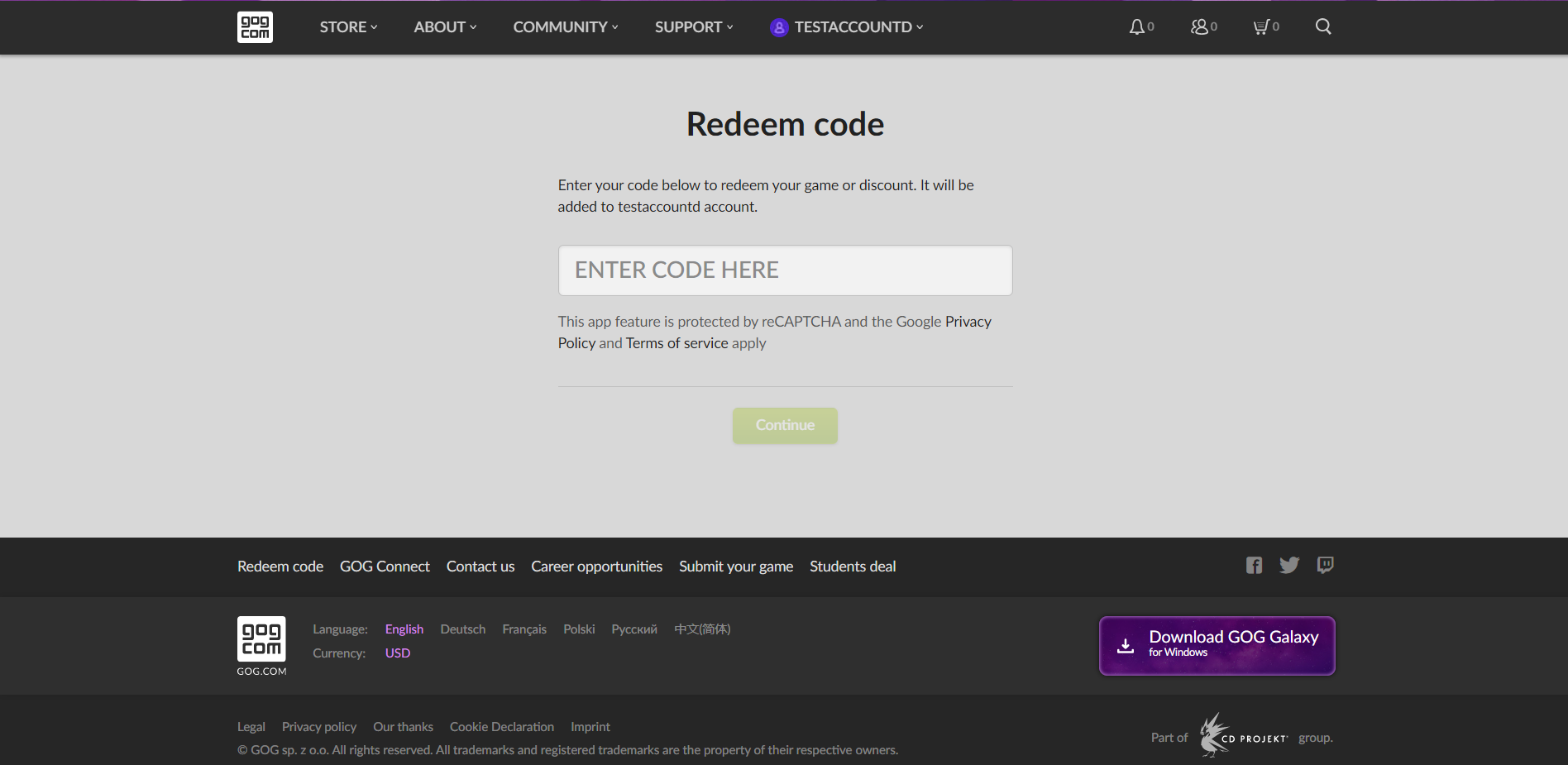
- Use the CD key that you have previously gotten from Shadowkeys to activate your game.
- Download the game.
Activating a Game from the GOG Launcher
- Go to the official GOG website and download the GOG launcher client. When it’s done, log in to your account.
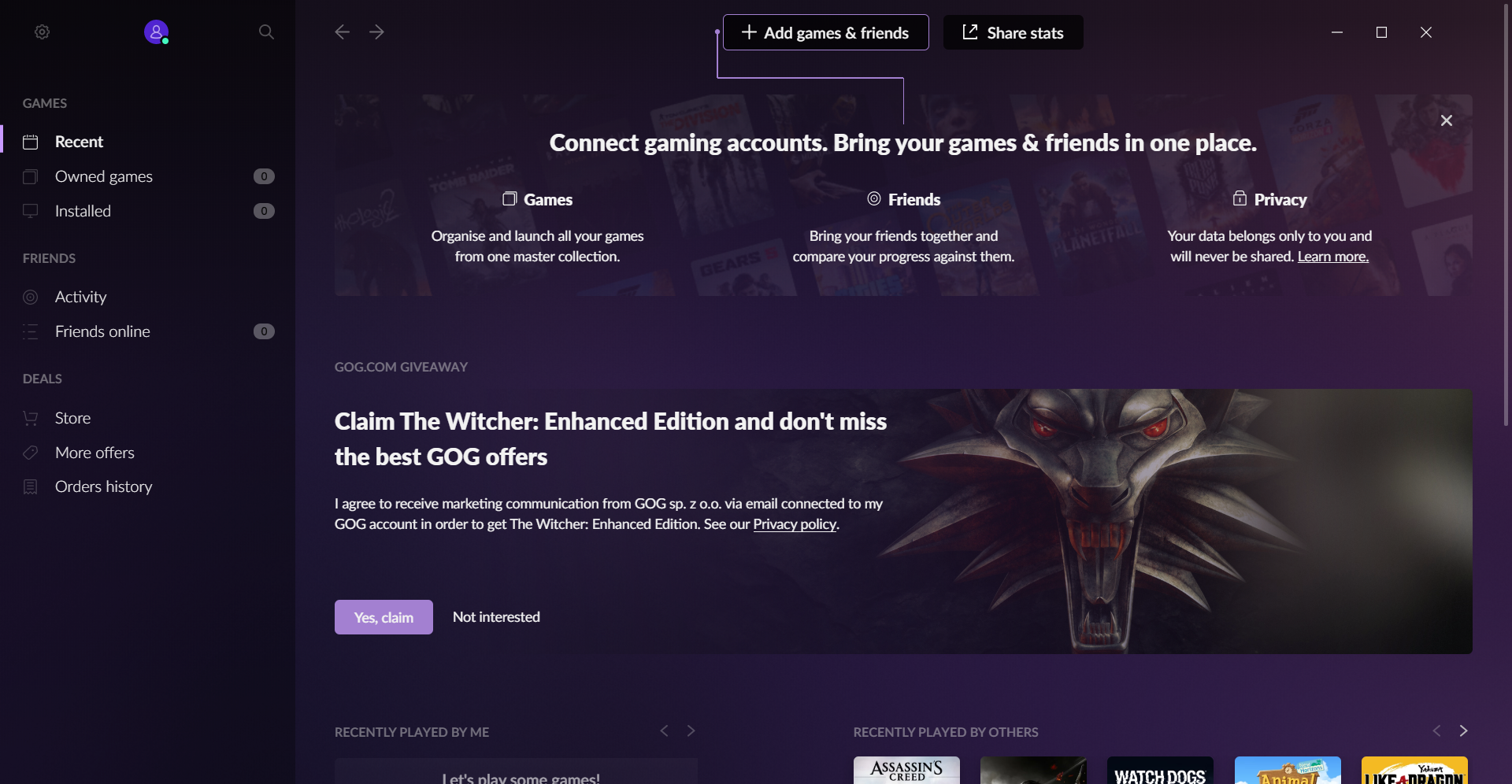
- Back on the homepage, click “Add games & friends.” You’ll find it in the center in the top of the platform.
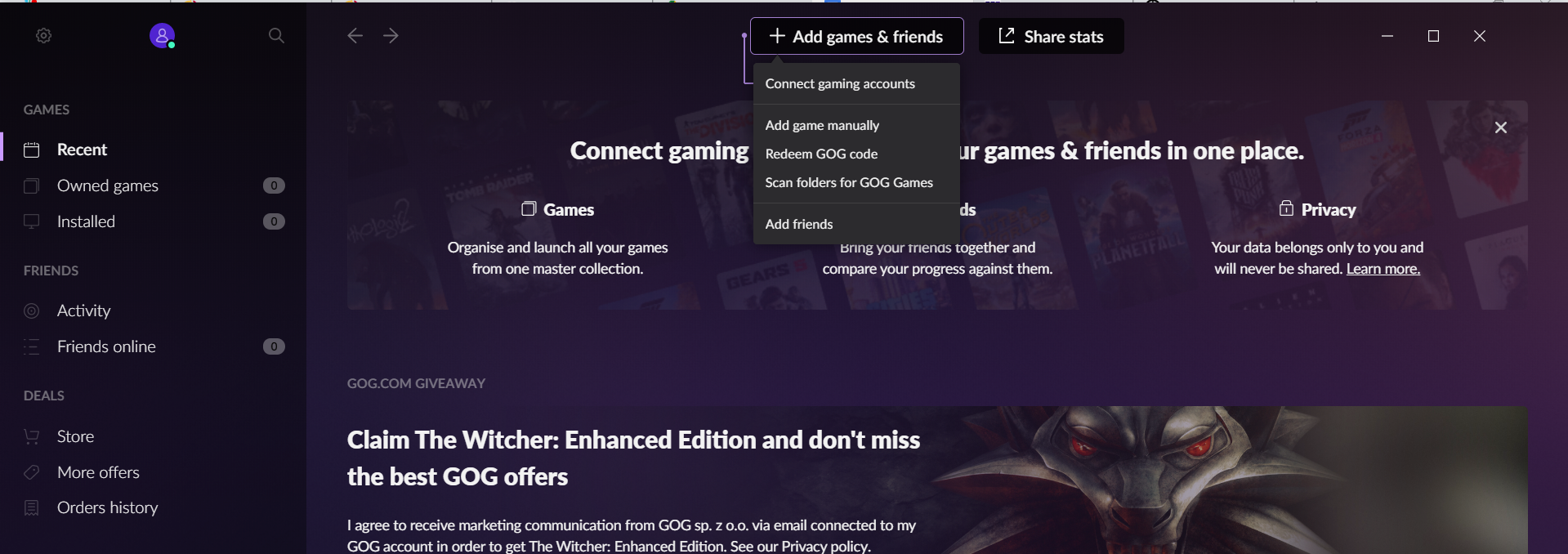
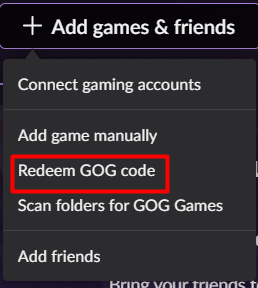
- Select “Redeem GOG Code.”
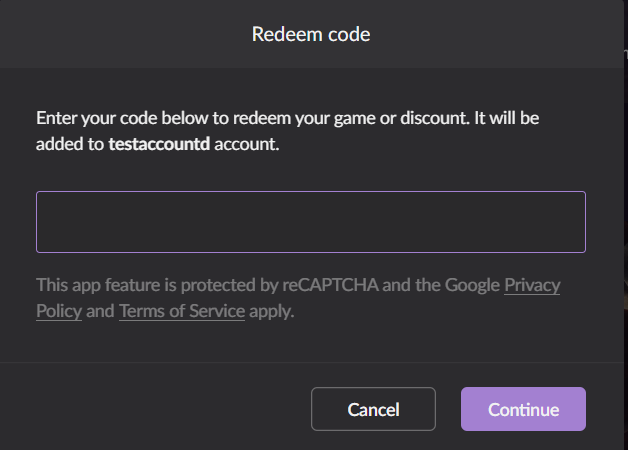
- Use the code you’ve gotten from your purchase to activate the game.
- Download the game.
Once you have activated your game, you can use whether the launcher or the website to download it.
How to Activate Your Product Key on Xbox for PC and Console?
Xbox Official Site is a platform created by Microsoft where you can activate their games. It’s an official and legitimate process to activate your Microsoft games bought via Shadowkeys.
Here you will find different methods regarding various platforms.
Website Activation
- Go to xbox.com and sign in to your account in the upper right corner.
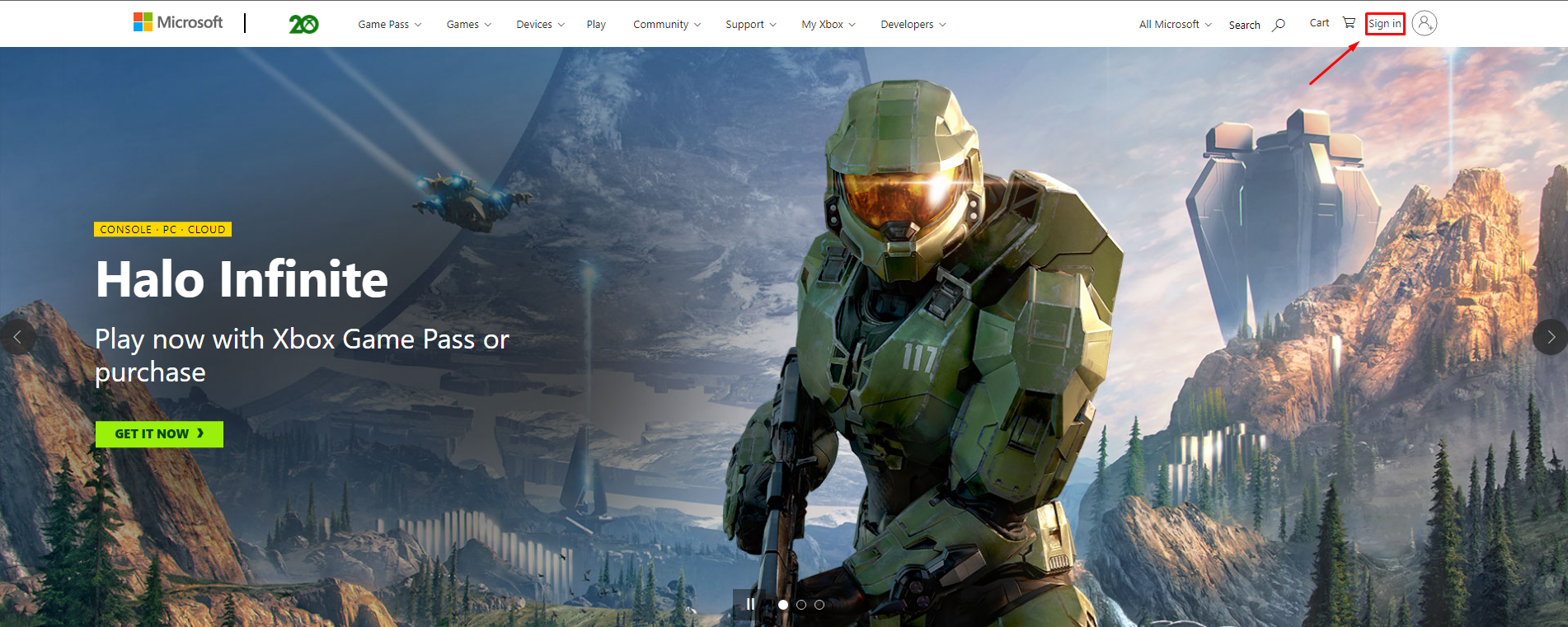
- After logging in, go to this site.
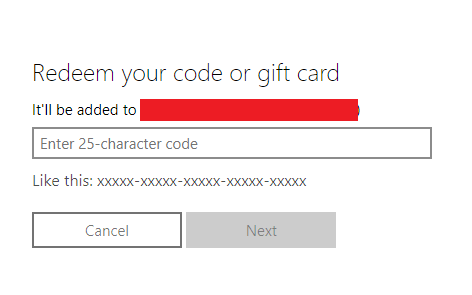
- Write or copy-paste your 25-character product key on the newly opened page and hit Next.
Console Activation
- Sign in to your Xbox console using the Microsoft account on which you want to redeem your product key.
- On your Home Screen, scroll down and select Use a code.
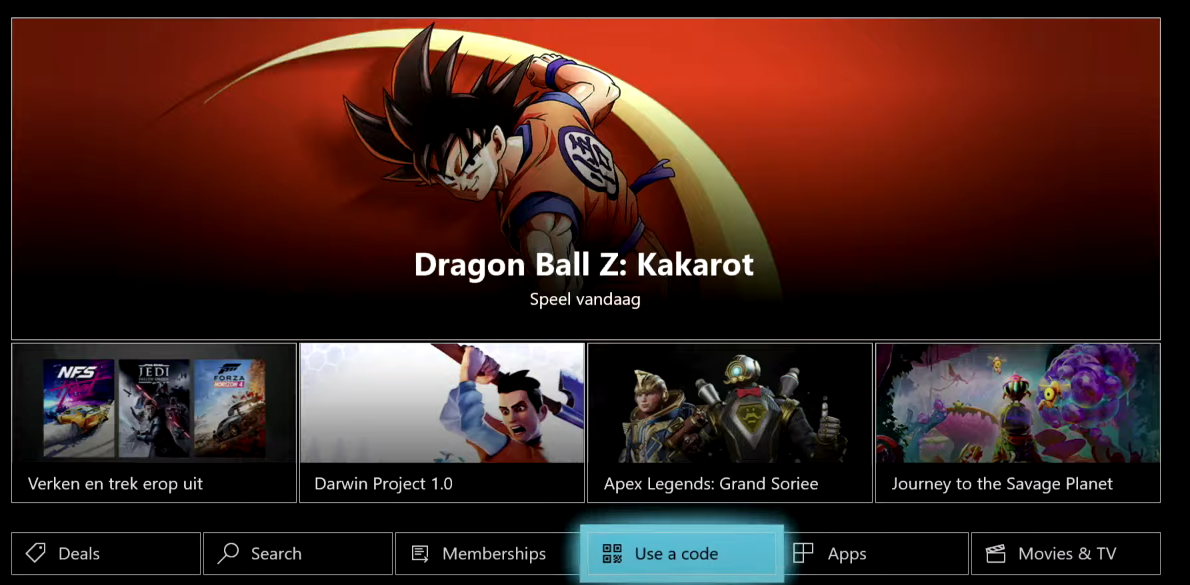
- Enter your 25-character product key and follow the instructions.
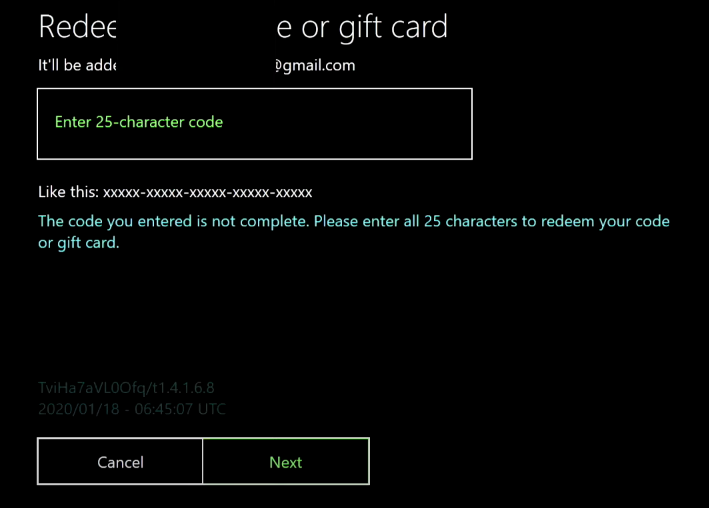
Xbox App for Windows Activation
- Hit the Start button or Windows key and find Xbox App.
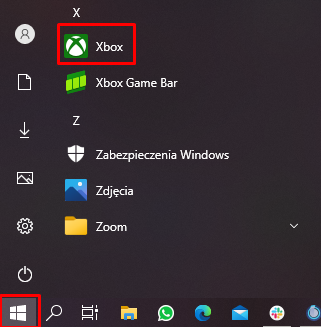
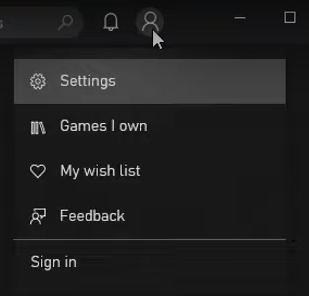
- Sign in to the account on which you want to redeem your code.
- Select your avatar in the upper right corner and then click Settings.
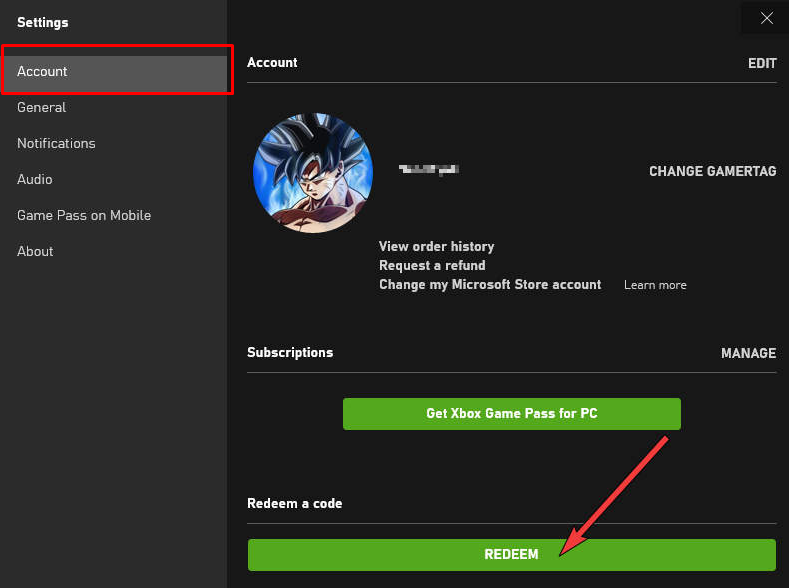
- Go into Account, select the REDEEM button, enter your 25-character Product Key and follow the instructions.
How to activate Uplay Key?
Product Activation on Uplay (Ubisoft Connect Store)
The Ubisoft connect, or Uplay is one of the biggest and most famous gaming platforms in the market. Their catalog features well-known titles, such as Assassin’s Creed, Far Cry, For Honor, Watch Dogs, and others.
With games of this importance, is just normal that almost every gamer has an Uplay account. It’s also normal that people will always be looking for the best prices and conditions for buying Uplay titles. That’s where Shadowkeys comes to light.
The game keys from Shadowkeys are all legitimate, with the agreement of the publishers and the gaming platforms’ terms.
Redeeming a Code on Uplay Step by Step
The platforms provides official ways to redeem the games you buy with third party sellers such as Shadowkeys. Let’s go through the activation process step by step.
- To begin, you must go to the Ubisoft site and download their application. Next, follow the installation process to get the Uplay on your PC.
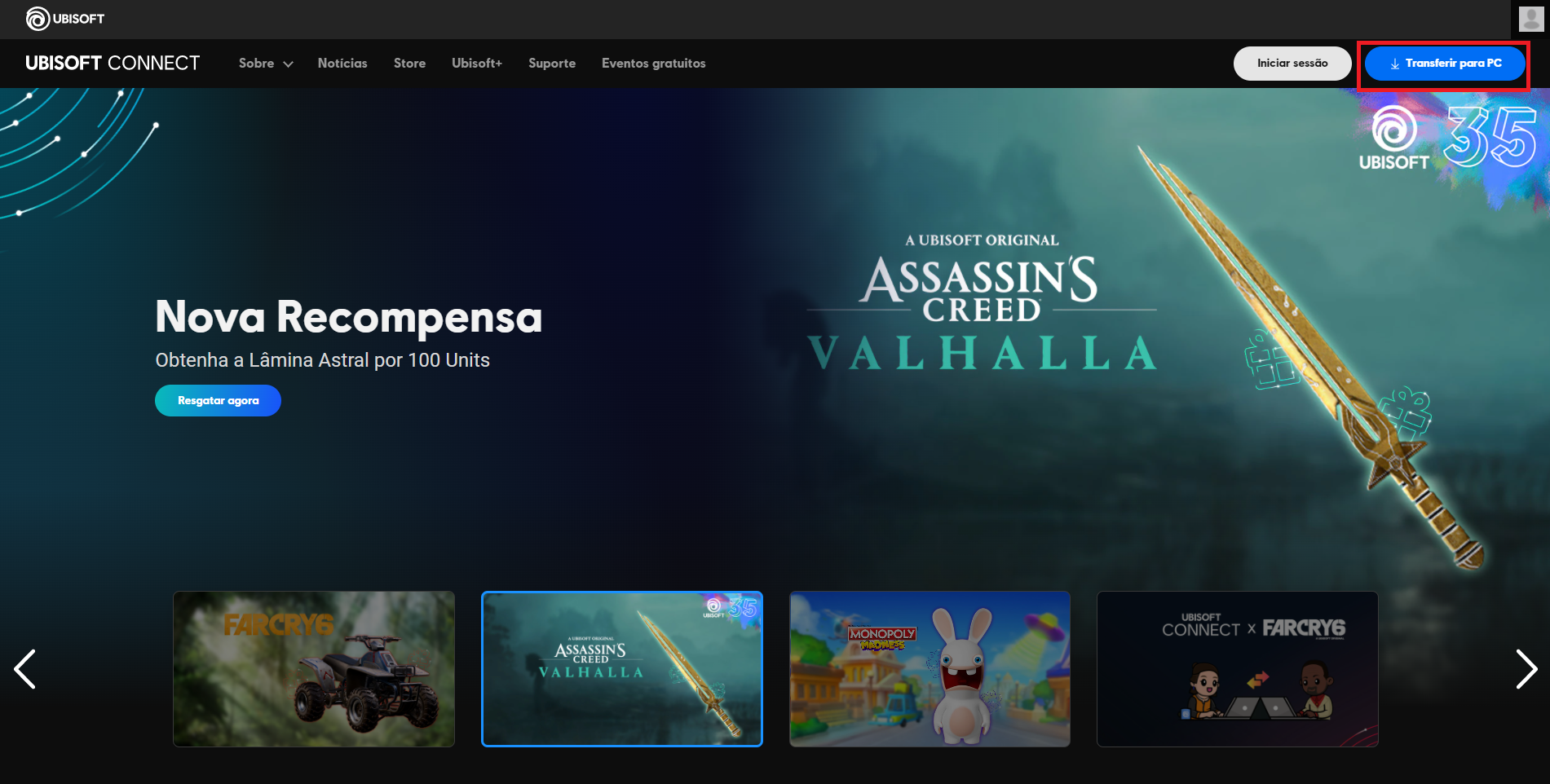
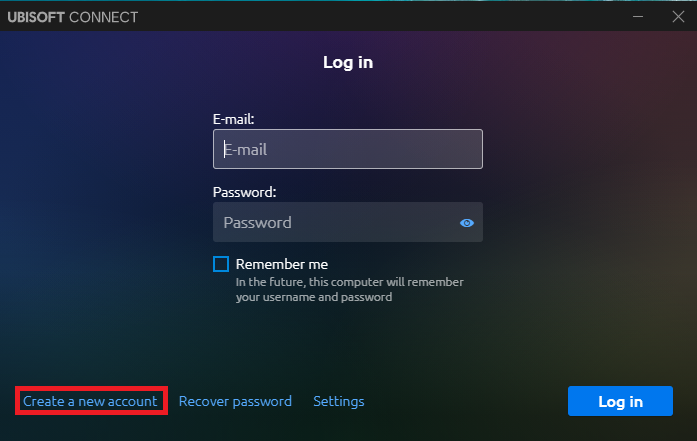
- When you have the program installed on your PC, it will open this window. Type your email and password to enter your account or click in the left-bottom-corner to create a new account.
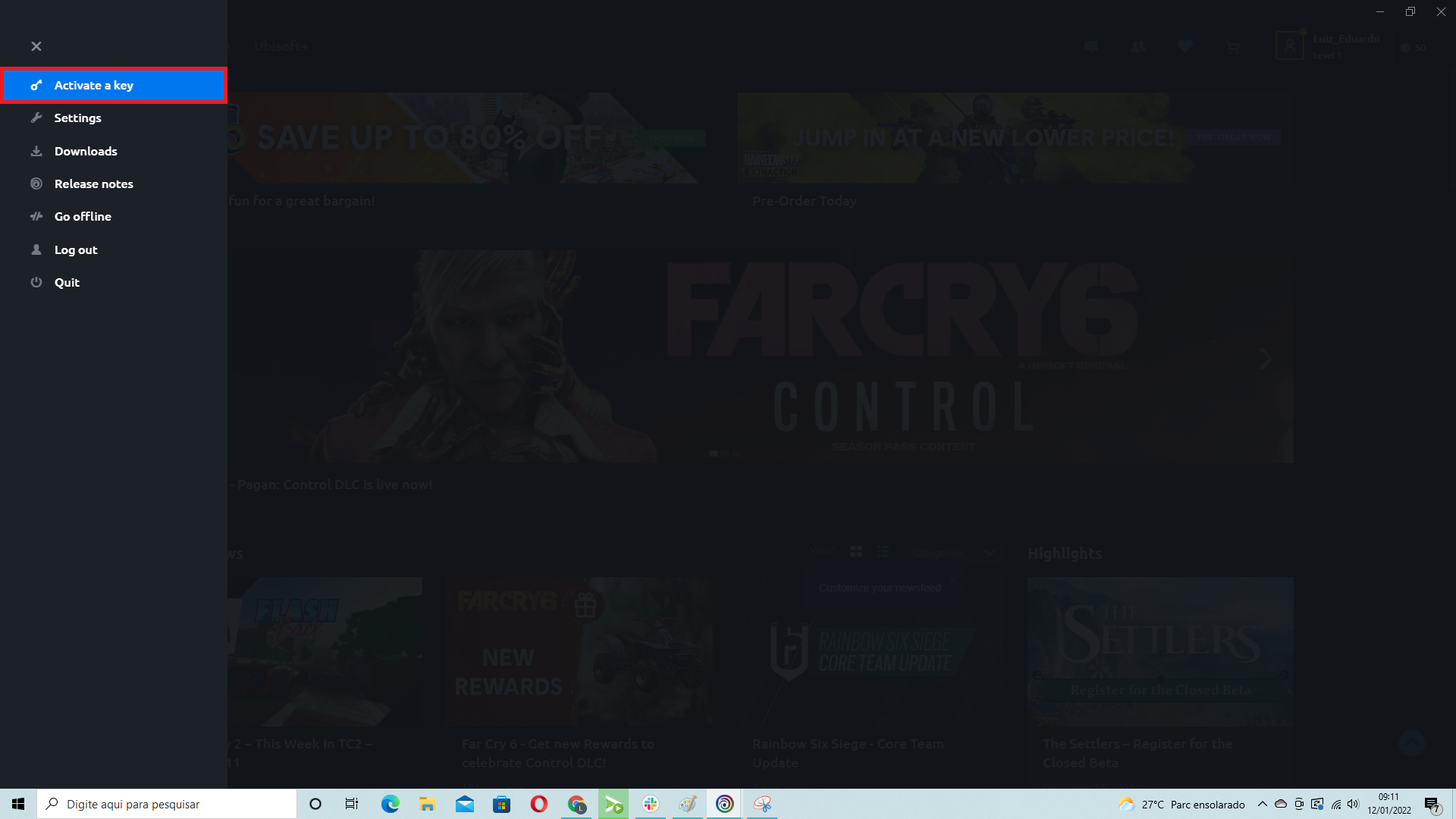
- After you log in, the home page will open. You just need to click on the icon of the sidebar at the top-left-corner

- Then, click on “Activate a Key,” the first option of the sidebar menu
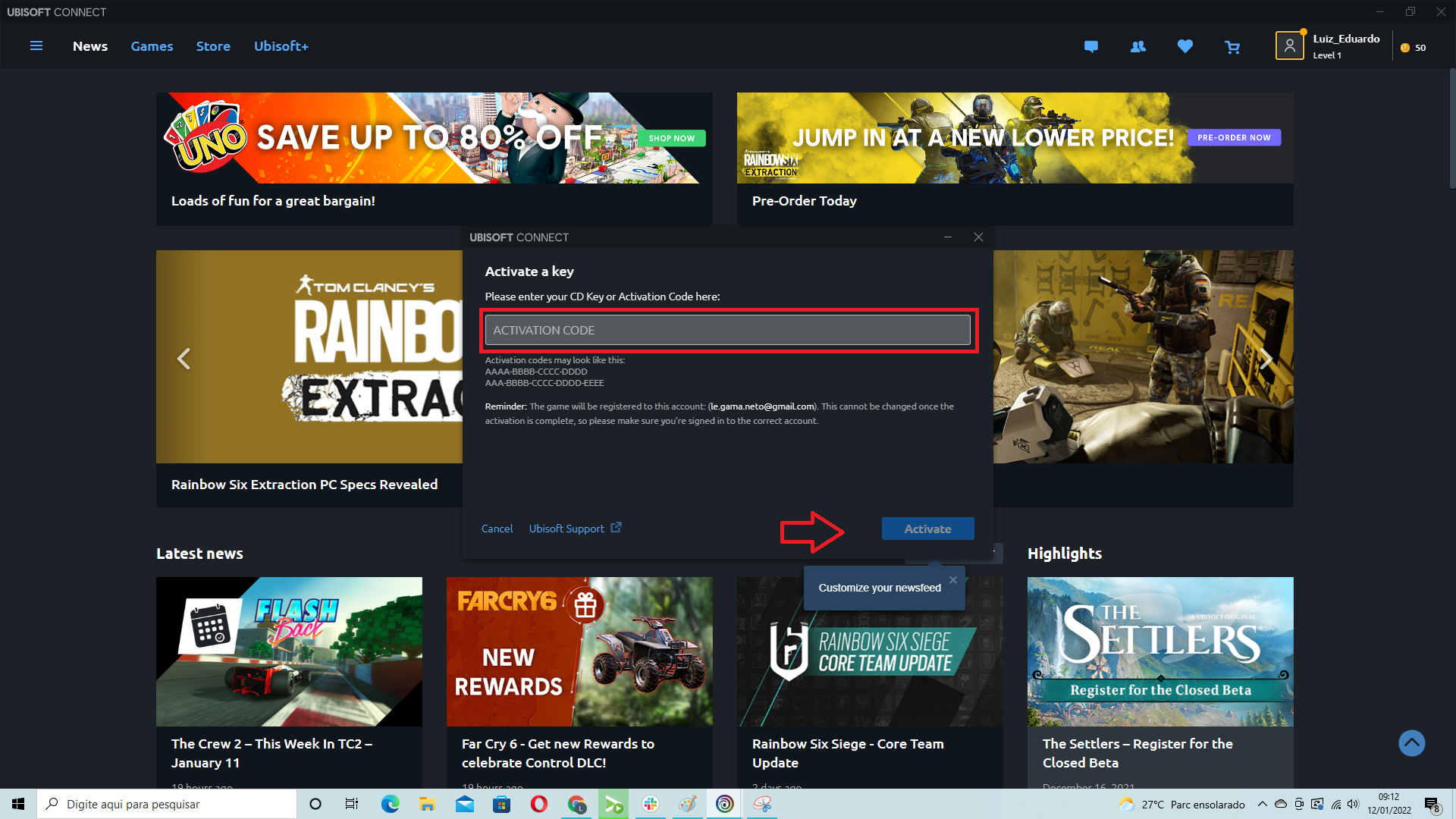
- It will open a small window to put the key code you bought with Shadowkeys. After that, just click on “activate.” The game will be instantly added to your library. Next, you just need to download and start playing!
How to activate Nintendo key?
Activating Your Game from the Official Nintendo Website
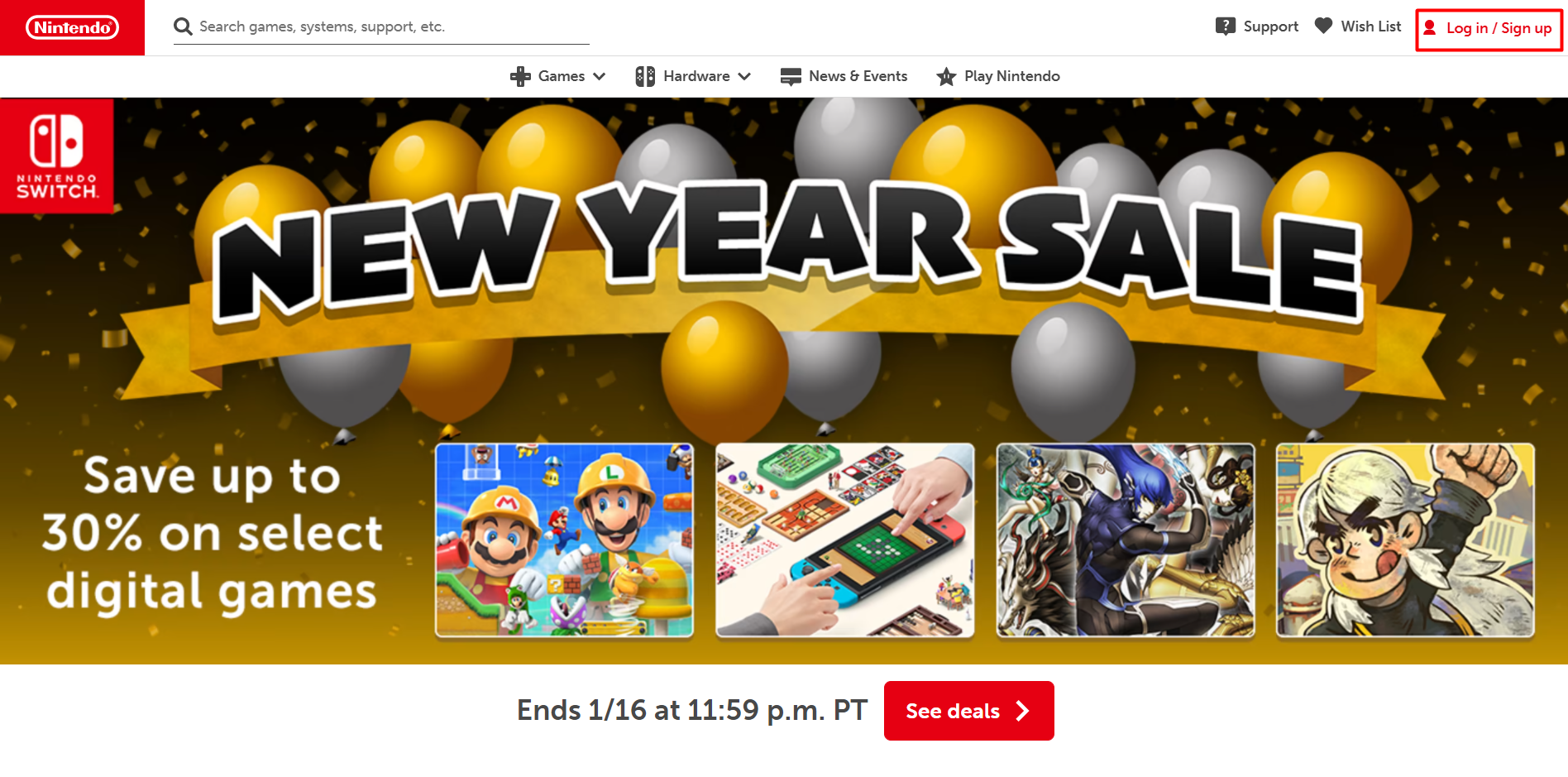
- Go to Nintendo.com and access your Nintendo account. The sign-in/log in button is in the top right corner. If you don’t have an account yet, you can create one.
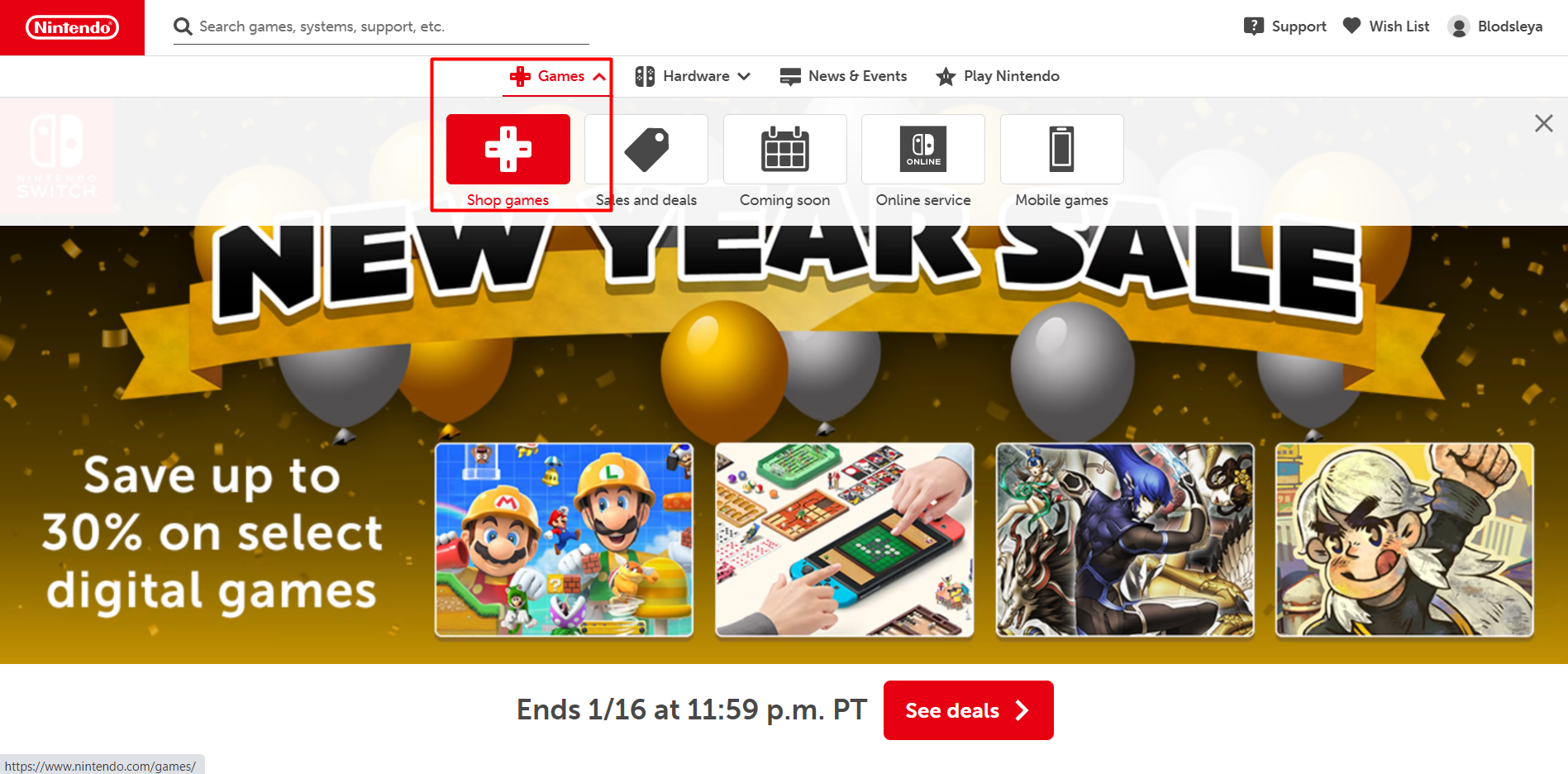
- Go to the “games” section and click “shop games” to access the gaming catalog.
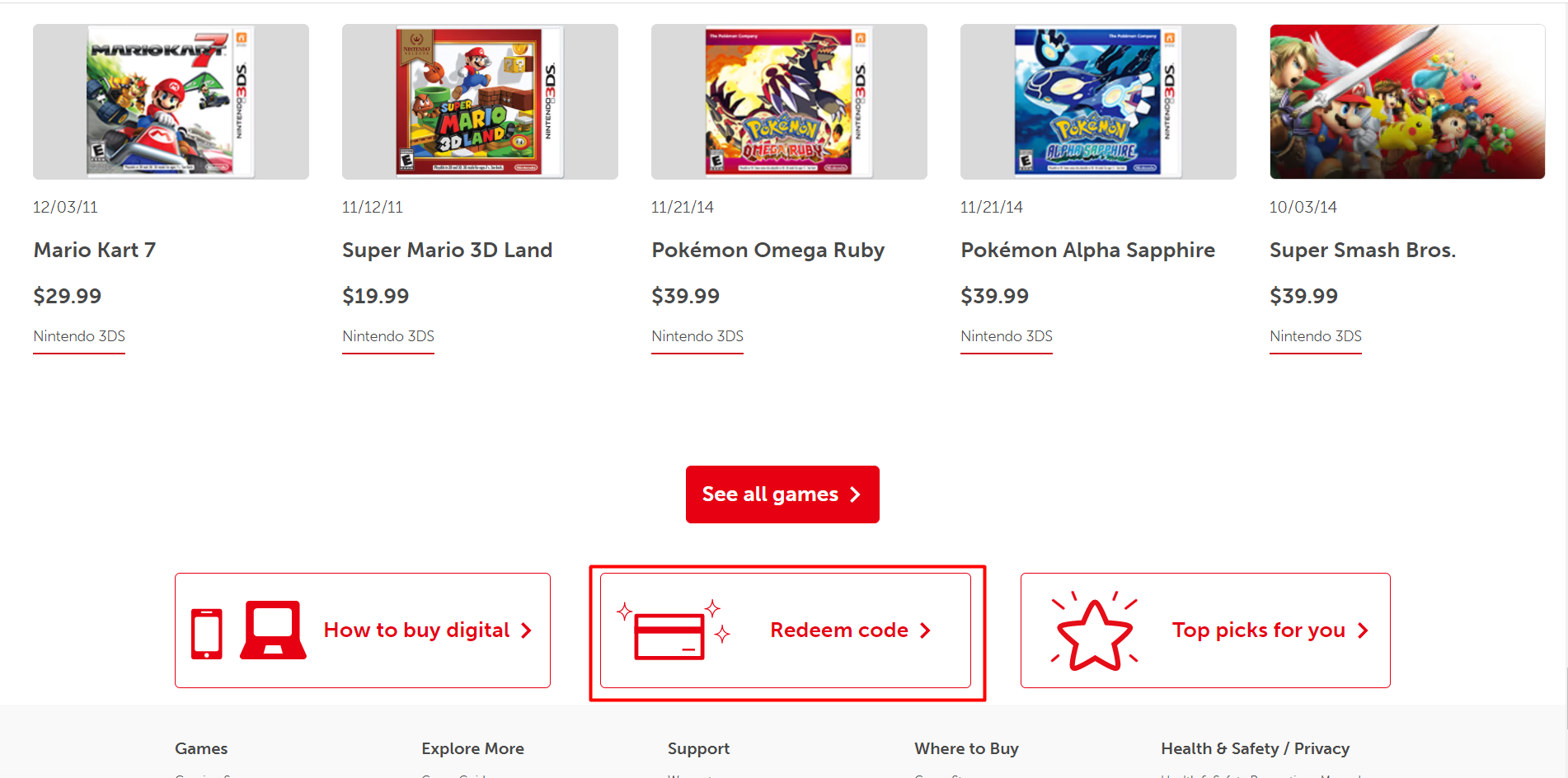
- Scroll down until you see the “redeem code” button and click it.
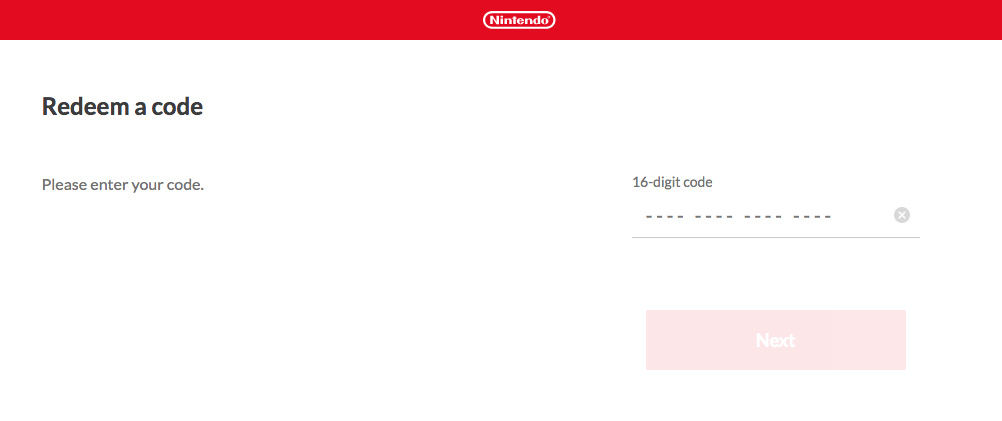
- Write down the 16-character code that you received from Shadowkeys.
- Download the game on your console.
Activating Your Game from the Nintendo eShop
- Go to your console and select the Nintendo eShop on the home menu.
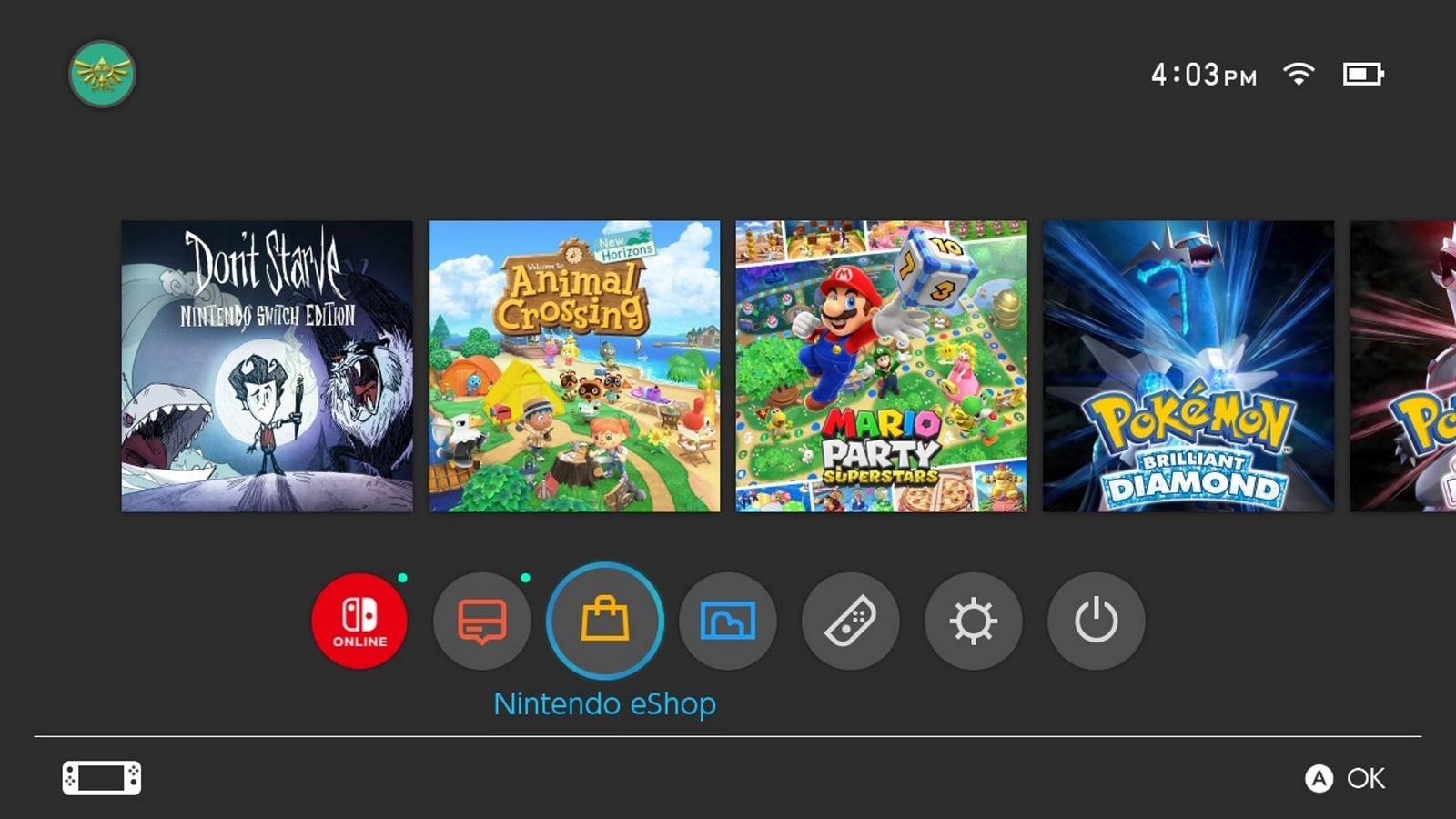
- Select the account where you want to redeem your code.
- Go to “Enter code” on the left side of the menu.
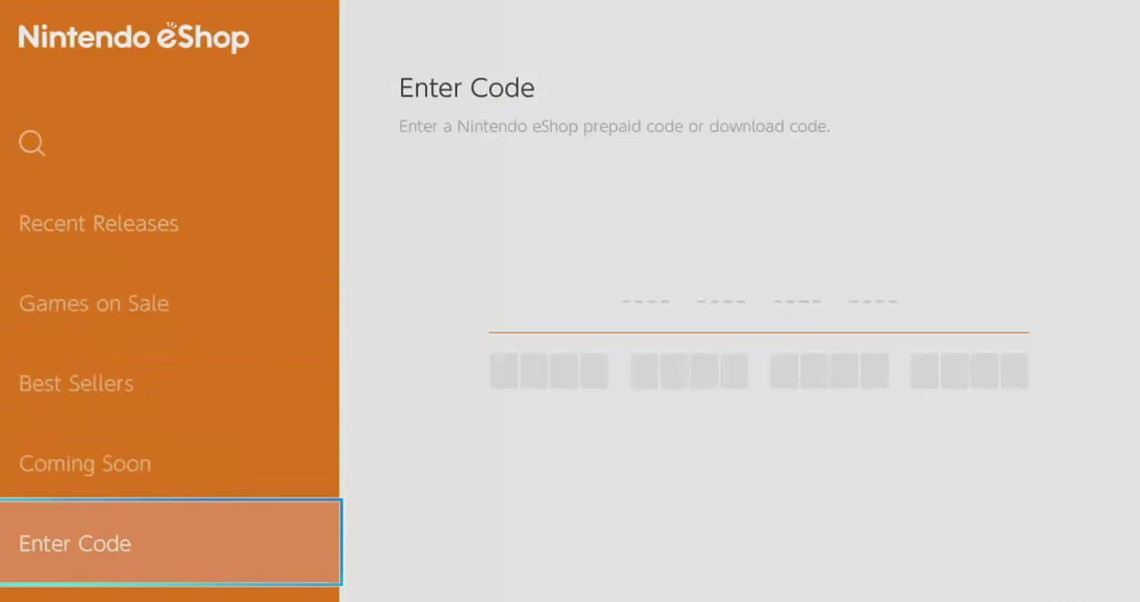
- Enter the 16-character code that you previously got. Beware that you need to use the code that usually contains B in the beginning.
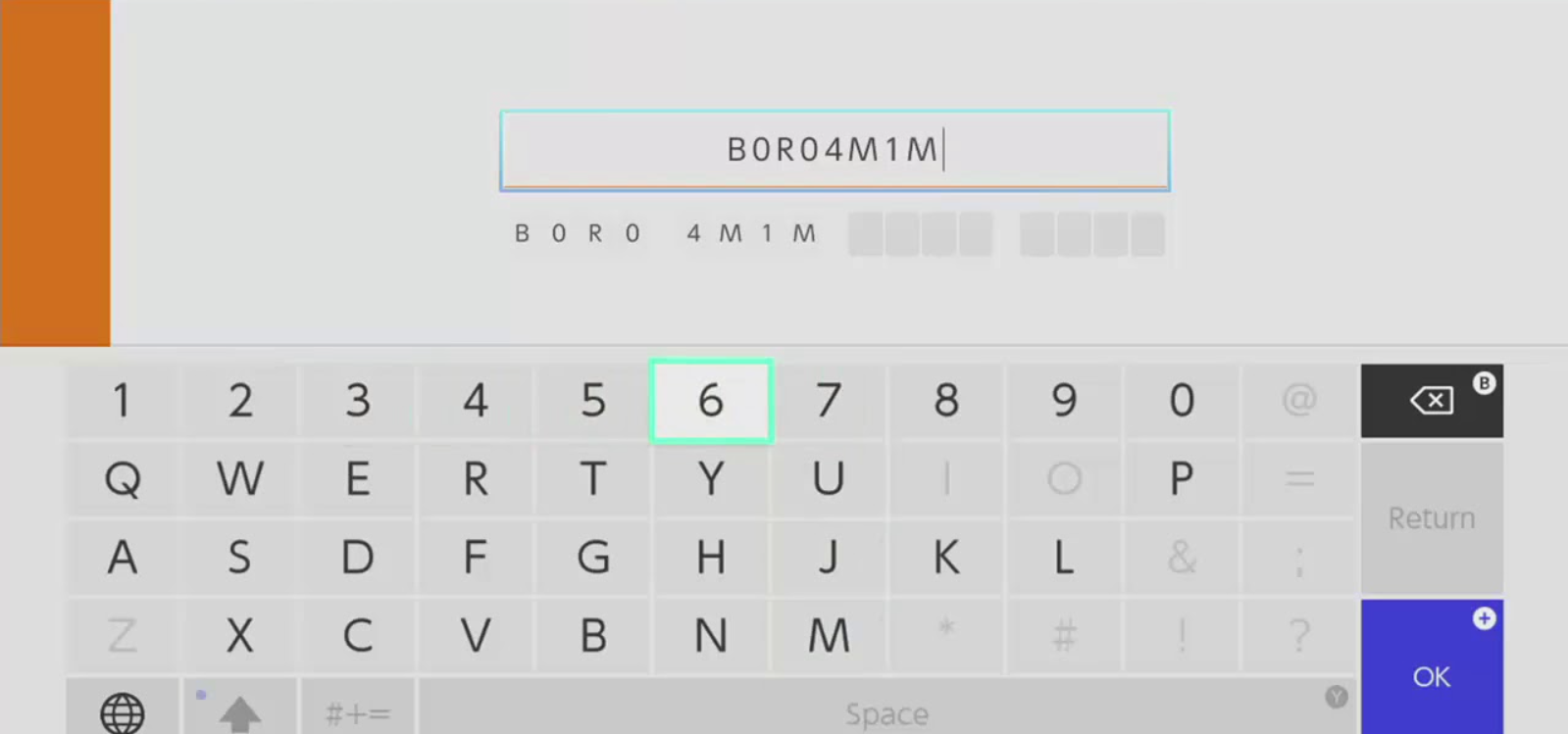
- Select OK. If the code is correct, your download will start shortly.
The games you redeem will show up on your console. And in case you have redeemed them with the eShop, the download will start immediately.
How to activate Windows 10 by phone
o activate any of the versions of Microsoft Windows by telephone, please follow the instruction below and use:
- Press the Win+R keys to open Run, then type: SLUI 4, then click on OK.
(Note that there is a space between SLUI and 4.)
- Select your country or region, then click Next.

- Call the provided phone number to reach the Microsoft Product Activation Center. You will first be walked through an automated menu where you must answer a few questions about what product you are trying to activate (Windows 10), whether you have previously activated it (No), and whether you have a product key (Yes).
- The automated system will now describe the Internet Activation process to you. You already know this information, but simply wait for it to complete.
At the end, the system will ask you if you still need assistance.
Tell it “Yes”, and then you will be taken to a human operator.
- The human operator will ask confirmation of what product you are trying to activate (Windows 10), and then they will ask you if you have an Installation ID (Yes – it’s on the same screen as the phone number you called).
- The human operator will then ask you to read them that number. I’ve found you can read it to them relatively quickly and they keep up just fine; and if you speak clearly, you usually only have to read it once.
- The human operator will then turn you back over to the automated telephone system, which after a few brief instructions will read your Confirmation ID to you.
Once the human operator hands the call back to the automated system, click “Enter Confirmation ID” and type in the numbers when they are read to you.
- Once you have entered the Confirmation ID, you can click Activate Windows and if your product key is valid and the numbers have been typed in correctly, you should be all set.

Microsoft Windows – Most Common Windows Errors
Error code: 0xC004C008 – If you get error code 0xC004C008 please use Phone Activation as described above.

Error code: 0xC004F050 – If you get an error code 0xC004F050 please check your current system installed. If it is different than the product key you bought, you will need to perform a new installation to the correct Windows system corresponding to the key you purchased.

How to Activate Your Product Key on Battle.net?

Battle.net is a game management system used to activate your games made by Blizzard Entertainment. It’s an official and legitimate process to activate your Blizzard games bought via Shadowkeys.
You can redeem your code directly on the official Blizzard website or by using their Battle.net desktop client. You’ll still need a desktop client to play their games though.
It’s used to activate games such as:
- World of Warcraft
- Call of Duty
- Diablo 3
- Starcraft
- Overwatch
Website Activation
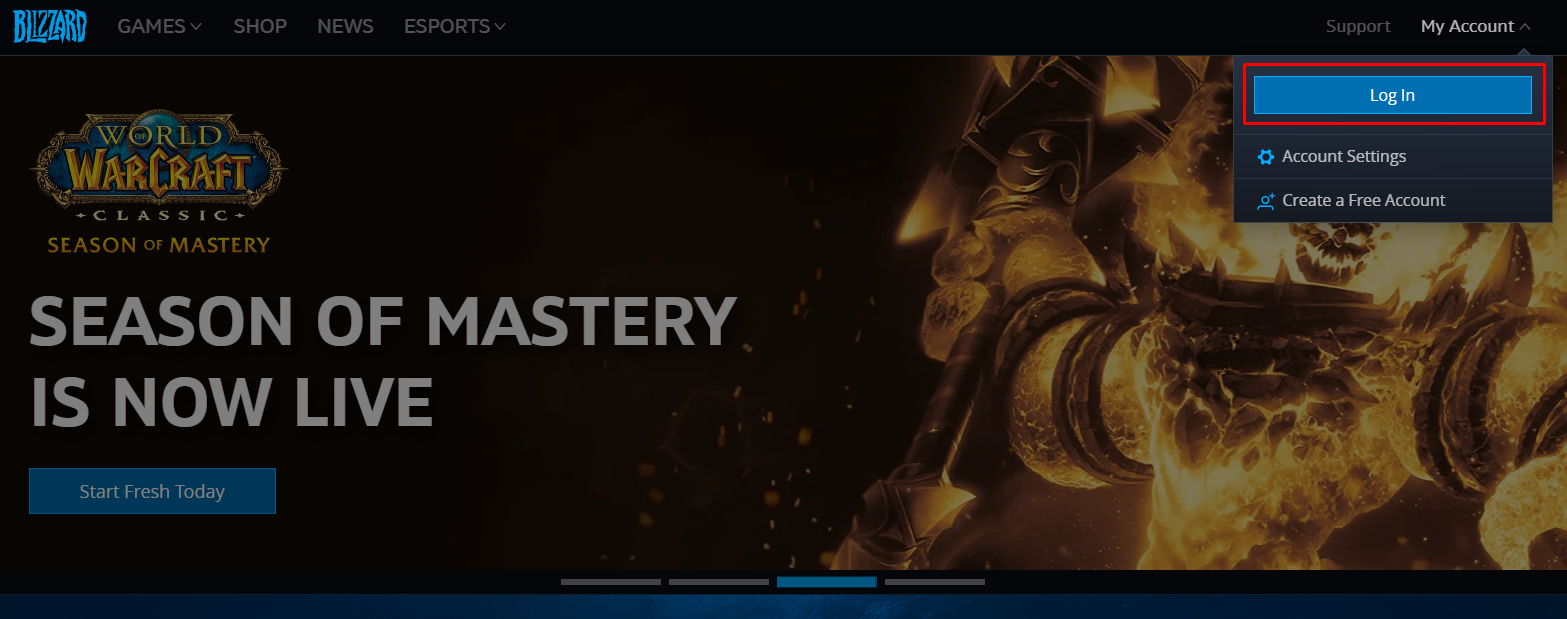
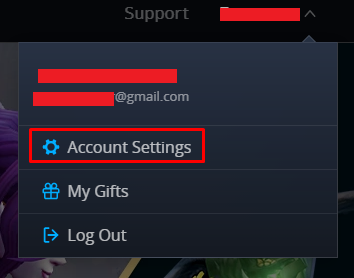
2. Click your nickname in the upper right corner and select ‘Account Settings.’
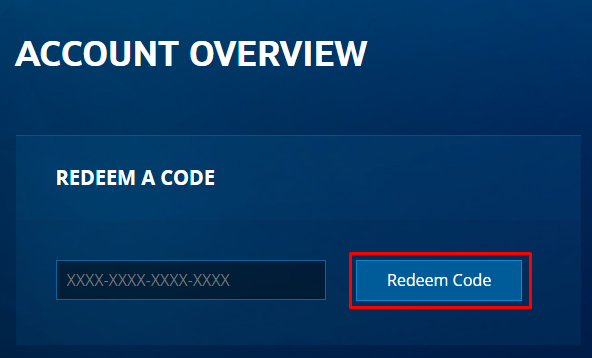
3. In your Account Overview, write or copy-paste your Product Key and hit ‘Redeem Code.’
Launcher Activation
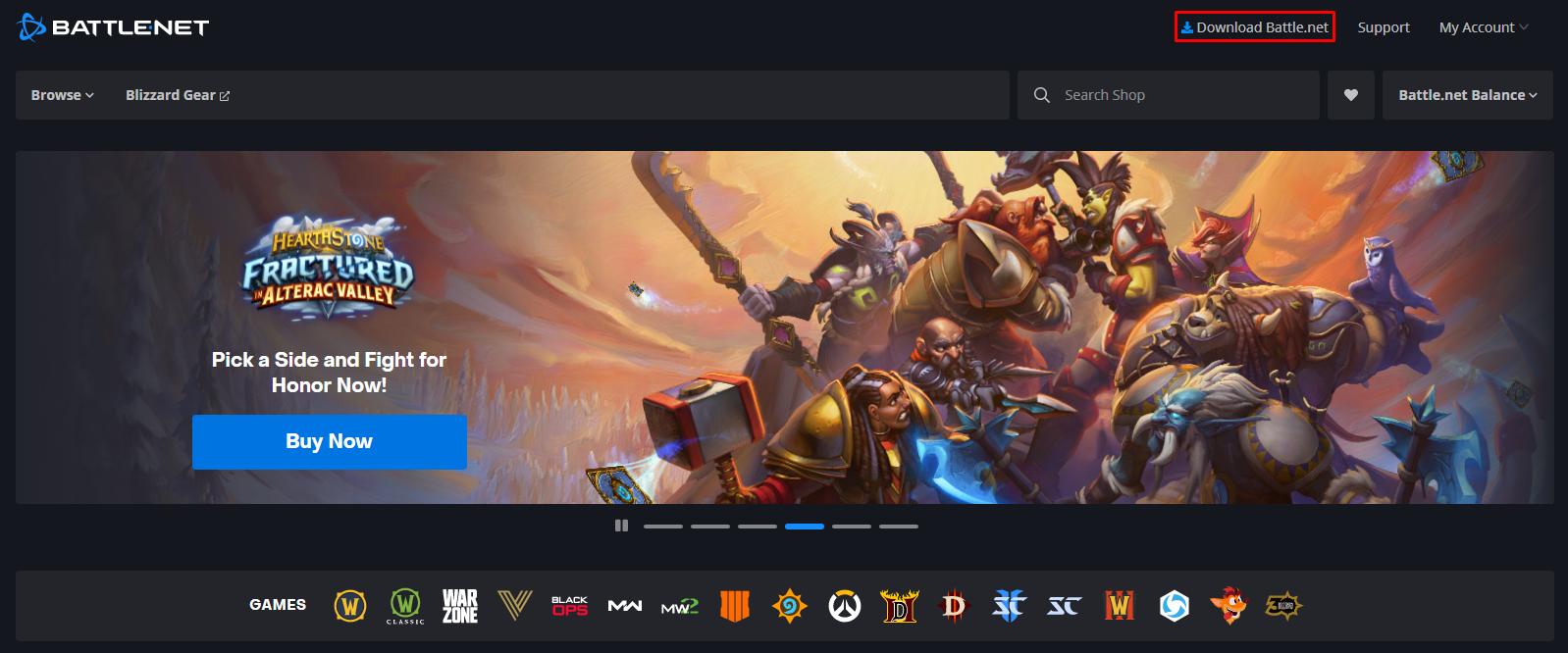
1. Go to Battle.net and select ‘Download Battle.net’ in the upper right corner. Your download will begin shortly.
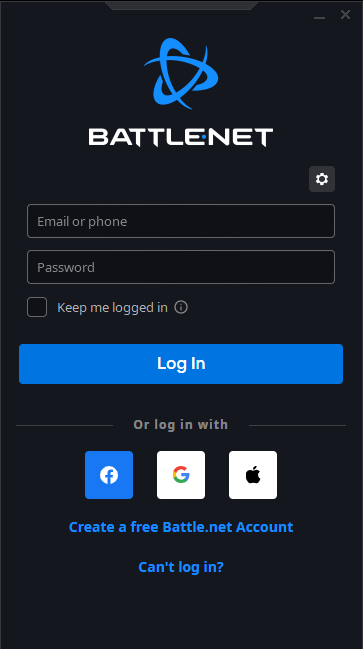
2. Open the launcher and log in to your account.
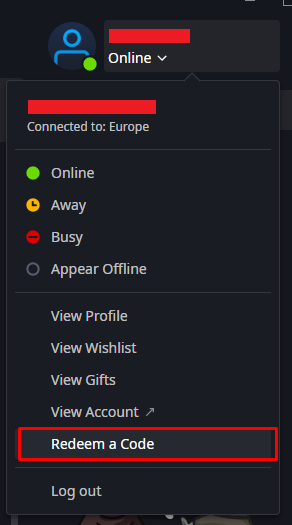
3. After logging in, click your nickname in the upper right corner and select ‘Redeem a Code.’
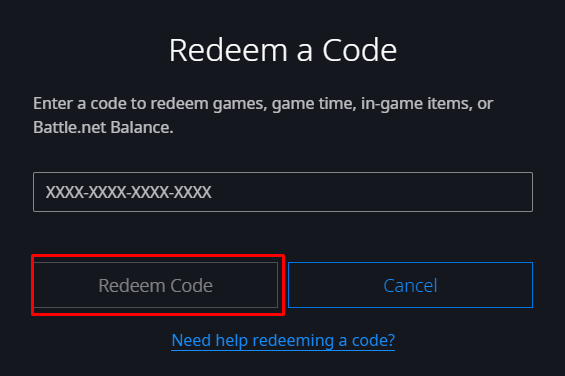
4. On the newly opened page, write or copy-paste your Product Key and hit ‘Redeem Code.’
How to activate Epic Games key?
Product Key Activation on Epic Games
To activate your product key on Epic Games, it is necessary to access the Epic Games website and follow the next steps.
All the codes purchased on Shadowkeys can be activated only on official platforms or websites of the game publishers.
To activate a key on Epic Games, follow the steps below:
- First of all, download the Epic Games client.
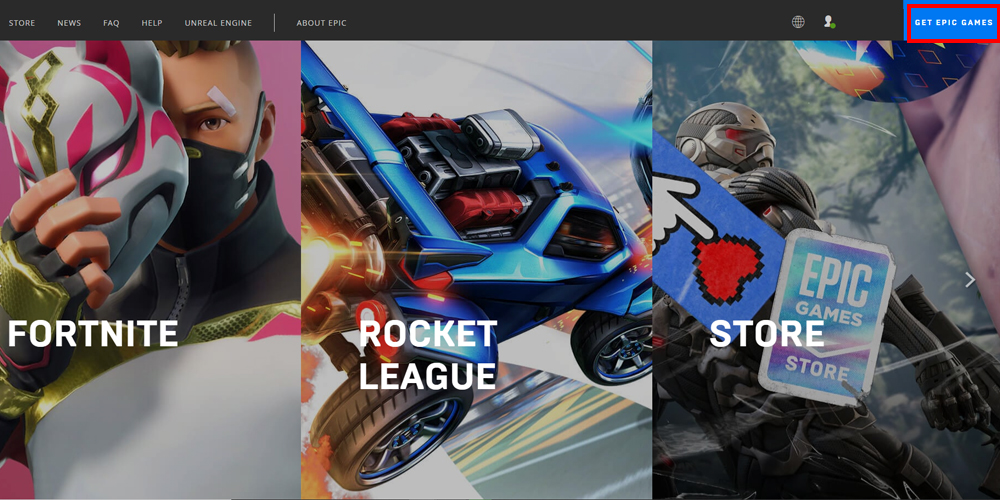
- Install the client and create or access your account.
- Select the icon with your name located on the top right corner of the screen.
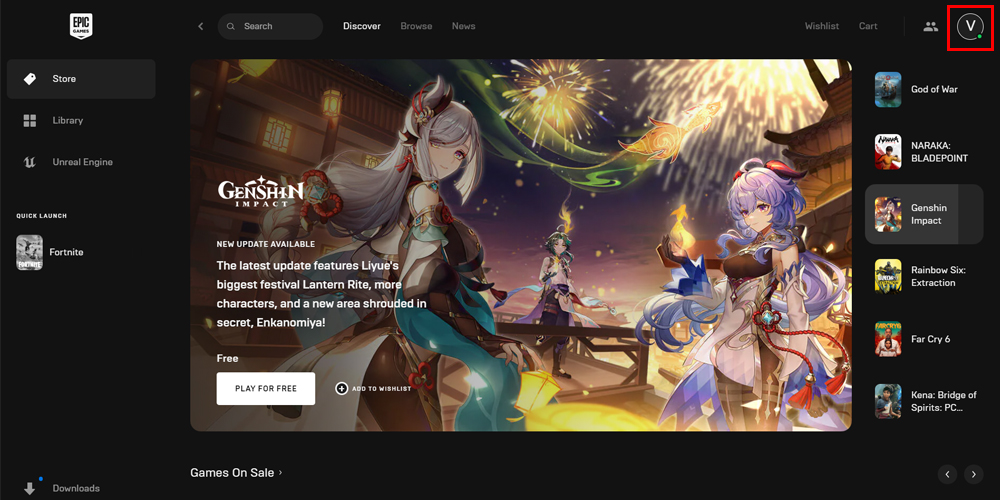
- Select ‘Redeem Code.’
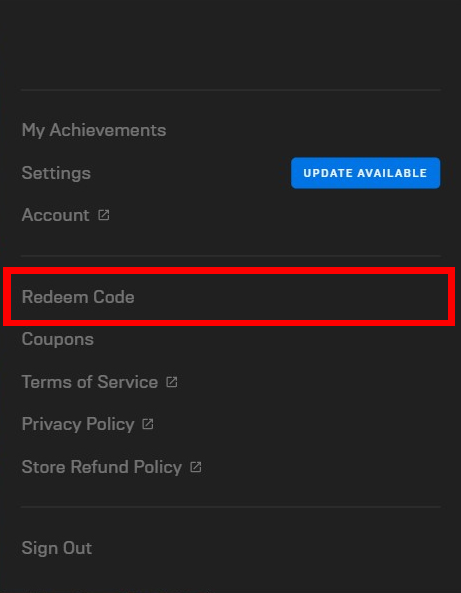
- Insert your code to download your game in the field the image below shows
How can I activate my Office product via telephone activation?





There are no reviews yet.